Autel MaxiFlash VCI J2534 ECU Programming Device, Multi-Protocol SAE J2534/ CAN FD/ DoIP/ D-PDU/ RP1210, Work with Autel MaxiCOM Ultra Lite MaxiSYS Elite II Pro MS909 MS909EV MS909CV
1. Autel MaxiFlash VCI J2534 Multi-Protocol Pass-Thru Interface
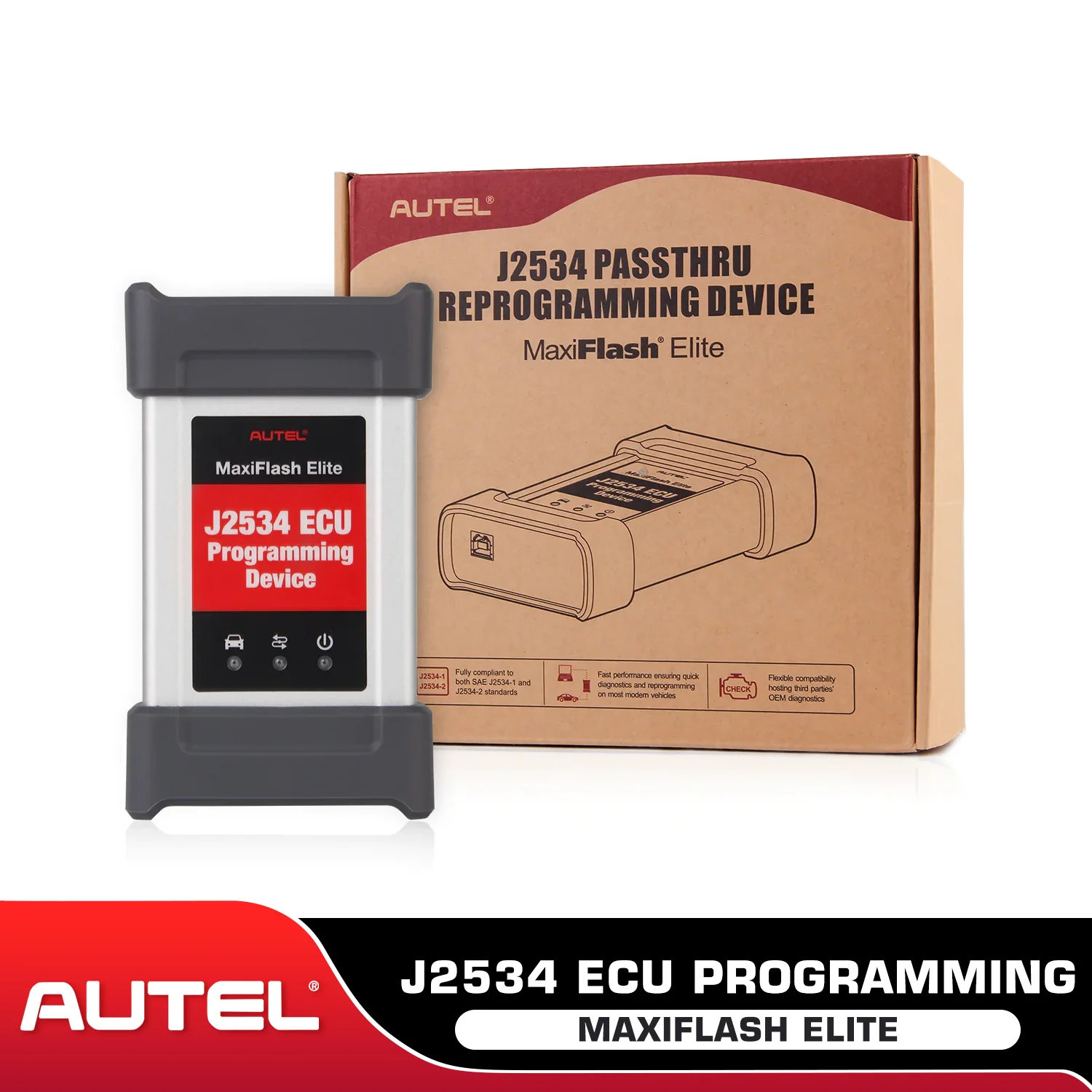
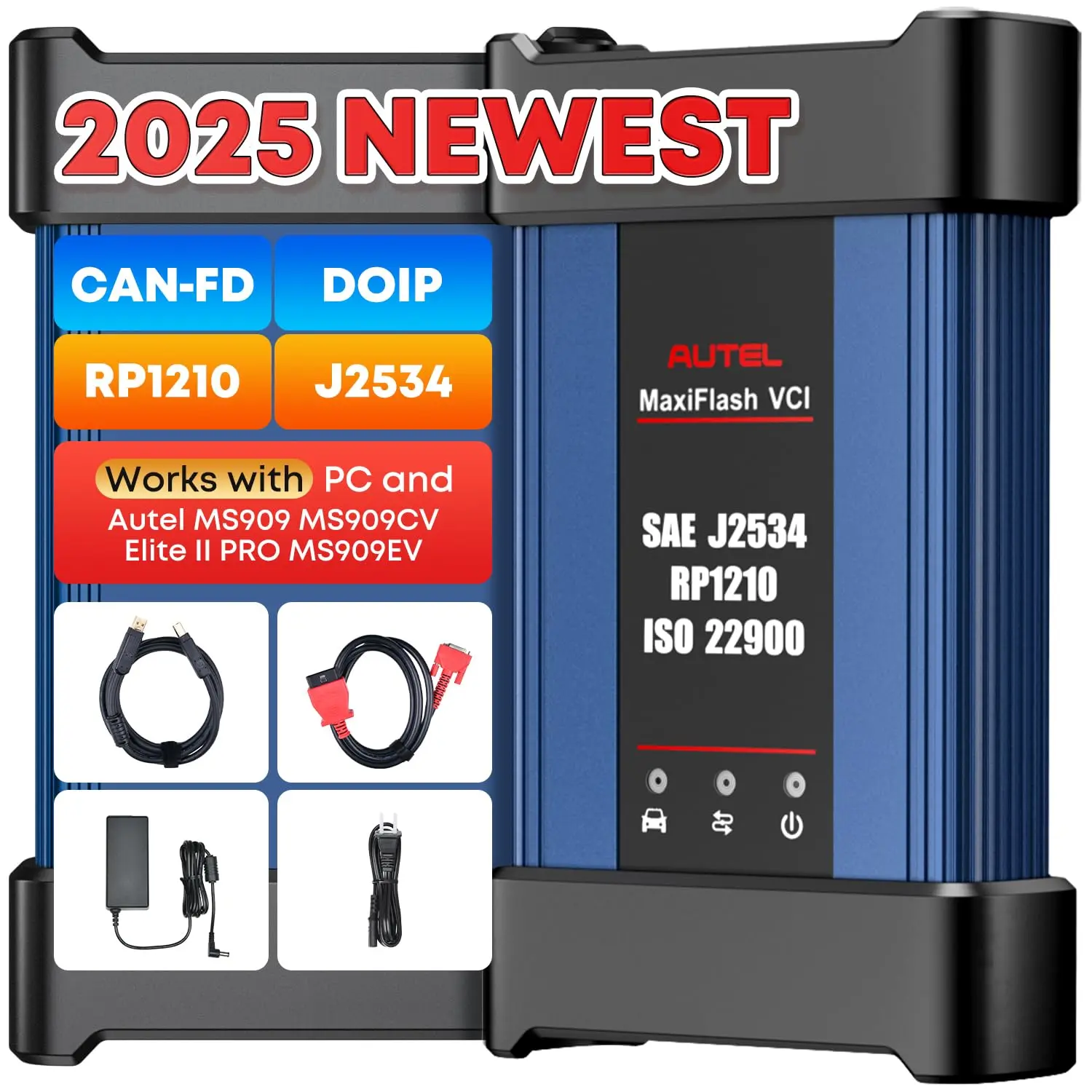
The Autel MaxiFlash VCI is a versatile Pass-Thru vehicle interface that supports multiple protocols - SAE J2534/ CAN FD/ DoIP/ D-PDU/ RP1210. It is fully compliant with SAE J2534-1 and SAE J2534-2 protocols (March 2006). The MaxiFlash VCI J2534 is specifically designed to offer convenient PC communication and ECU reprogramming capabilities on a wide range of modern vehicle diagnostic buses.
It provides the features most desired by OEM customers, including reliability, fast performance, and flexibility. The MaxiFlash VCI is a reliable tool that ensures stable and efficient communication between the PC and the vehicle's electronic control units (ECUs). With its fast performance, users can complete ECU reprogramming tasks efficiently. Additionally, the MaxiFlash VCI offers flexibility, allowing it to be used on various vehicle models and diagnostic systems.

Replacement ECU programming accessory tool
MaxiFlash VCI is an accessory tool for Autel MaxiCOM Ultra Lite MaxiSYS Elite II Pro MS909 MS909EV MS909CV to program ECUs on specific BMW and Benz vehicles, in case you lost the J-2534 programmer.
Compatible with Toyota Techstream, Volvo VIDA, Honda HDS, Jaguar-Land Rover IDS and BMW 3G for OEM diagnostics
If you use the MaxiFlash VCI(J-2534 pass-thru) stand alone, it's compatible with Toyota Techstream, Volvo VIDA, Honda HDS, Jaguar-Land Rover IDS, and BMW 3G for OEM diagnostics.
Compatible Third Parties OEM Diagnostic
You can download the original equipment manufacturer (OEM) subscription software to program the vehicle ECU module with the PC or scanner.
Note: To work with OEM software to program ECUs, you need to check with the car manufacturer directly. To work with Autel scan tools to program ECUs on specific BMW and Benz vehicles, you need to have valid subscription.
Speed up Reprogram
J2534 itself is an ECU programming tool, but it must be used with PC or Autel Scanner to Speed up Programming/ Coding
Fix Original Software, Improve Vehicle Performance
J2534 can be used with Autel devices to perform ECU coding/ programming features. It can modify some original manufacturer settings, disable useless functions, refresh high-end functions, and improve the applicability of vehicles.
2. ECU Programming for Benz & BMW

J2534 is a powerful accessory that can work with Autel MaxiCOM Ultra Lite MaxiSYS Elite II Pro MS909 MS909EV MS909CV to perform ECU Programming function.
ECU Programming
J2535 is used in conjunction with the above devices, allowing you to access the car ECU module and adjust the ECU module as needed: program rewriting, ECU upgrade and downgrade, ECU module matching and replacement, etc.
ECU Online and Offline Coding
- By overwriting the pre-programmed options already present in the ECU module, adjusting the car's specific functions, modifying the OE settings, activating advanced functions, and disabling annoying functions, you are no longer bound by the OE settings.
- For example: Volkswagen, Audi online coding, Renault online coding, custom personalized settings for Toyota, Nissan, Peugeot, Citroen, etc.
Note: J2534 is just an accessory, if you want to maximize the ECU programming and coding functions, please purchase the corresponding scanner.
3. Download and Installation Guide --- Setup J2534 Pass-Thru Device Driver for PC

Method 1: Use CD installation
Insert the driver installation CD to PC and open CD folder——Click “Autel Run.exe” ——Click “MaxiFlash VCI”——“Select the installation language”——Click “Install”——“Finish”
Method 2: Download “Maxi PC Suite” directly
- Click Autel official website ——Download “Maxi PC Suite”——click “setup.exe”——“Select the installation language”——Click “Install”——“Finish”
- During the installation process, you can upgrade the j2534 driver software through the PC to upgrade the firmware.
After connecting the J2534 to the PC and installing the driver, you can program your car via the original equipment manufacturer (OEM) subscription software. Using OEM software, Autel MaxiFlash VCI J2534 can also be used as a diagnostic tool. You can use J2534 to read and clear DTCs, display system data records, collect sensor data and common OBDII log data, and more.
Note: Since the J2534 is an accessory, if you have any problem when programming/ coding ECU with the original software, please contact the original manufacturer for technician support.
4. Advanced MaxiFlash VCI Support D-PDU/SAE J2534/RP1210/CAN FD/DOIP

D-PDU/SAE J2534/RP1210 OE-Diagnostic Protocols
- Compatible with Land Rover, Jaguar, Volvo, Toyota, GM, Honda, Nissan, BMW
CAN FD/DOIP Protocols for High-Speed CAN
- CAN-FD Car Coverage - Compatible with GM Cavalier/Trax/Encore/Envision/GLB(LSY)/CT4,CT5 after 2019
- DOIP Car Coverage - Compatible with Volvo Models after 2018; Compatible with Land Rover/Jaguar Models after 2017; Compatible with BMW E/F/G Chassis Models
5. Exclusive - Work with OEM Software

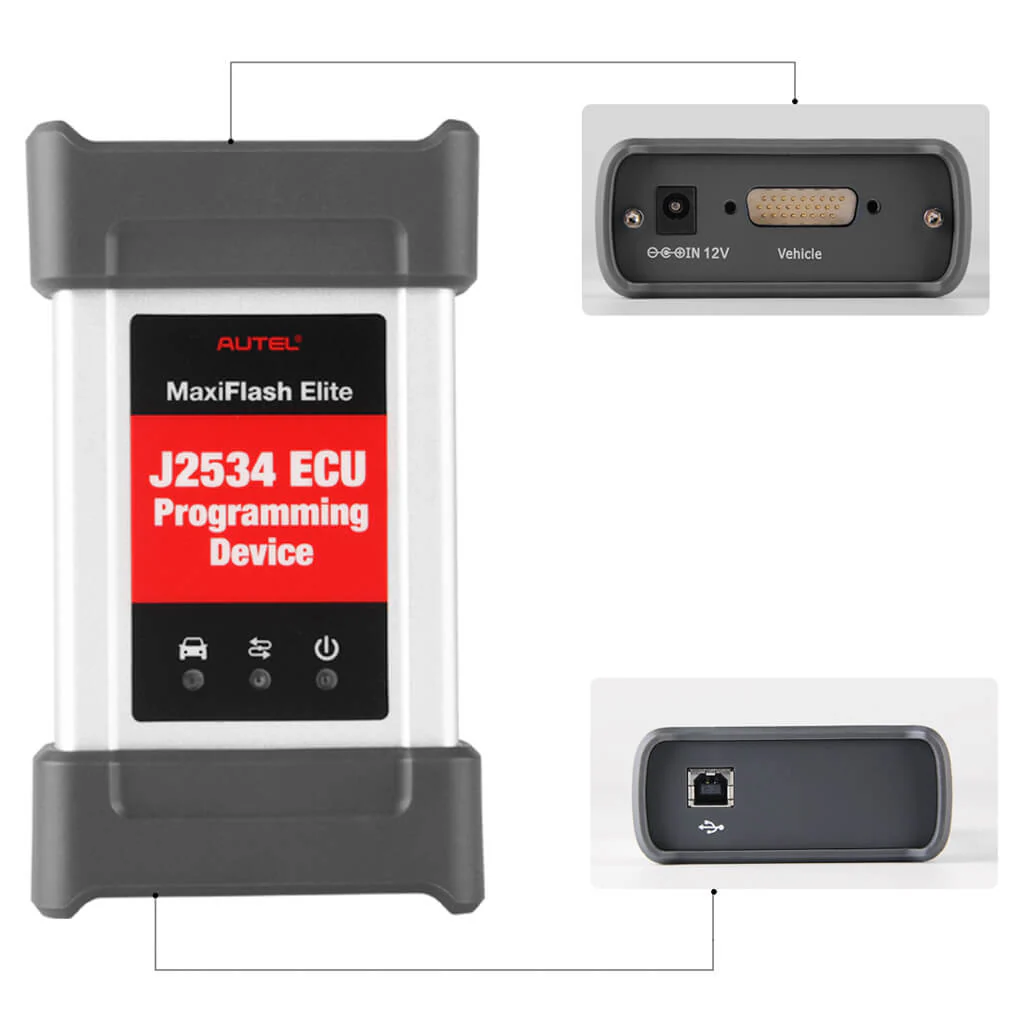
Port Details

Packing List

1. Autel MaxiFlash VCI J2534 Multi-Protocol Pass-Thru Interface
The Autel MaxiFlash VCI is a versatile Pass-Thru vehicle interface that supports multiple protocols - SAE J2534/ CAN FD/ DoIP/ D-PDU/ RP1210. It is fully compliant with SAE J2534-1 and SAE J2534-2 protocols (March 2006). The MaxiFlash VCI J2534 is specifically designed to offer convenient PC communication and ECU reprogramming capabilities on a wide range of modern vehicle diagnostic buses.
It provides the features most desired by OEM customers, including reliability, fast performance, and flexibility. The MaxiFlash VCI is a reliable tool that ensures stable and efficient communication between the PC and the vehicle's electronic control units (ECUs). With its fast performance, users can complete ECU reprogramming tasks efficiently. Additionally, the MaxiFlash VCI offers flexibility, allowing it to be used on various vehicle models and diagnostic systems.
Replacement ECU programming accessory tool
MaxiFlash VCI is an accessory tool for Autel MaxiCOM Ultra Lite MaxiSYS Elite II Pro MS909 MS909EV MS909CV to program ECUs on specific BMW and Benz vehicles, in case you lost the J-2534 programmer.
Compatible with Toyota Techstream, Volvo VIDA, Honda HDS, Jaguar-Land Rover IDS and BMW 3G for OEM diagnostics
If you use the MaxiFlash VCI(J-2534 pass-thru) stand alone, it's compatible with Toyota Techstream, Volvo VIDA, Honda HDS, Jaguar-Land Rover IDS, and BMW 3G for OEM diagnostics.
Compatible Third Parties OEM Diagnostic
You can download the original equipment manufacturer (OEM) subscription software to program the vehicle ECU module with the PC or scanner.
Note: To work with OEM software to program ECUs, you need to check with the car manufacturer directly. To work with Autel scan tools to program ECUs on specific BMW and Benz vehicles, you need to have valid subscription.
Speed up Reprogram
J2534 itself is an ECU programming tool, but it must be used with PC or Autel Scanner to Speed up Programming/ Coding
Fix Original Software, Improve Vehicle Performance
J2534 can be used with Autel devices to perform ECU coding/ programming features. It can modify some original manufacturer settings, disable useless functions, refresh high-end functions, and improve the applicability of vehicles.
2. ECU Programming for Benz & BMW
J2534 is a powerful accessory that can work with Autel MaxiCOM Ultra Lite MaxiSYS Elite II Pro MS909 MS909EV MS909CV to perform ECU Programming function.
ECU Programming
J2535 is used in conjunction with the above devices, allowing you to access the car ECU module and adjust the ECU module as needed: program rewriting, ECU upgrade and downgrade, ECU module matching and replacement, etc.
ECU Online and Offline Coding
- By overwriting the pre-programmed options already present in the ECU module, adjusting the car's specific functions, modifying the OE settings, activating advanced functions, and disabling annoying functions, you are no longer bound by the OE settings.
- For example: Volkswagen, Audi online coding, Renault online coding, custom personalized settings for Toyota, Nissan, Peugeot, Citroen, etc.
Note: J2534 is just an accessory, if you want to maximize the ECU programming and coding functions, please purchase the corresponding scanner.
3. Download and Installation Guide --- Setup J2534 Pass-Thru Device Driver for PC
Method 1: Use CD installation
Insert the driver installation CD to PC and open CD folder——Click “Autel Run.exe” ——Click “MaxiFlash VCI”——“Select the installation language”——Click “Install”——“Finish”
Method 2: Download “Maxi PC Suite” directly
- Click Autel official website ——Download “Maxi PC Suite”——click “setup.exe”——“Select the installation language”——Click “Install”——“Finish”
- During the installation process, you can upgrade the j2534 driver software through the PC to upgrade the firmware.
After connecting the J2534 to the PC and installing the driver, you can program your car via the original equipment manufacturer (OEM) subscription software. Using OEM software, Autel MaxiFlash VCI J2534 can also be used as a diagnostic tool. You can use J2534 to read and clear DTCs, display system data records, collect sensor data and common OBDII log data, and more.
Note: Since the J2534 is an accessory, if you have any problem when programming/ coding ECU with the original software, please contact the original manufacturer for technician support.
4. Advanced MaxiFlash VCI Support D-PDU/SAE J2534/RP1210/CAN FD/DOIP
D-PDU/SAE J2534/RP1210 OE-Diagnostic Protocols
- Compatible with Land Rover, Jaguar, Volvo, Toyota, GM, Honda, Nissan, BMW
CAN FD/DOIP Protocols for High-Speed CAN
- CAN-FD Car Coverage - Compatible with GM Cavalier/Trax/Encore/Envision/GLB(LSY)/CT4,CT5 after 2019
- DOIP Car Coverage - Compatible with Volvo Models after 2018; Compatible with Land Rover/Jaguar Models after 2017; Compatible with BMW E/F/G Chassis Models
5. Exclusive - Work with OEM Software
Port Details
Packing List
Original: $799.00
-65%$799.00
$279.65Description
1. Autel MaxiFlash VCI J2534 Multi-Protocol Pass-Thru Interface
The Autel MaxiFlash VCI is a versatile Pass-Thru vehicle interface that supports multiple protocols - SAE J2534/ CAN FD/ DoIP/ D-PDU/ RP1210. It is fully compliant with SAE J2534-1 and SAE J2534-2 protocols (March 2006). The MaxiFlash VCI J2534 is specifically designed to offer convenient PC communication and ECU reprogramming capabilities on a wide range of modern vehicle diagnostic buses.
It provides the features most desired by OEM customers, including reliability, fast performance, and flexibility. The MaxiFlash VCI is a reliable tool that ensures stable and efficient communication between the PC and the vehicle's electronic control units (ECUs). With its fast performance, users can complete ECU reprogramming tasks efficiently. Additionally, the MaxiFlash VCI offers flexibility, allowing it to be used on various vehicle models and diagnostic systems.
Replacement ECU programming accessory tool
MaxiFlash VCI is an accessory tool for Autel MaxiCOM Ultra Lite MaxiSYS Elite II Pro MS909 MS909EV MS909CV to program ECUs on specific BMW and Benz vehicles, in case you lost the J-2534 programmer.
Compatible with Toyota Techstream, Volvo VIDA, Honda HDS, Jaguar-Land Rover IDS and BMW 3G for OEM diagnostics
If you use the MaxiFlash VCI(J-2534 pass-thru) stand alone, it's compatible with Toyota Techstream, Volvo VIDA, Honda HDS, Jaguar-Land Rover IDS, and BMW 3G for OEM diagnostics.
Compatible Third Parties OEM Diagnostic
You can download the original equipment manufacturer (OEM) subscription software to program the vehicle ECU module with the PC or scanner.
Note: To work with OEM software to program ECUs, you need to check with the car manufacturer directly. To work with Autel scan tools to program ECUs on specific BMW and Benz vehicles, you need to have valid subscription.
Speed up Reprogram
J2534 itself is an ECU programming tool, but it must be used with PC or Autel Scanner to Speed up Programming/ Coding
Fix Original Software, Improve Vehicle Performance
J2534 can be used with Autel devices to perform ECU coding/ programming features. It can modify some original manufacturer settings, disable useless functions, refresh high-end functions, and improve the applicability of vehicles.
2. ECU Programming for Benz & BMW
J2534 is a powerful accessory that can work with Autel MaxiCOM Ultra Lite MaxiSYS Elite II Pro MS909 MS909EV MS909CV to perform ECU Programming function.
ECU Programming
J2535 is used in conjunction with the above devices, allowing you to access the car ECU module and adjust the ECU module as needed: program rewriting, ECU upgrade and downgrade, ECU module matching and replacement, etc.
ECU Online and Offline Coding
- By overwriting the pre-programmed options already present in the ECU module, adjusting the car's specific functions, modifying the OE settings, activating advanced functions, and disabling annoying functions, you are no longer bound by the OE settings.
- For example: Volkswagen, Audi online coding, Renault online coding, custom personalized settings for Toyota, Nissan, Peugeot, Citroen, etc.
Note: J2534 is just an accessory, if you want to maximize the ECU programming and coding functions, please purchase the corresponding scanner.
3. Download and Installation Guide --- Setup J2534 Pass-Thru Device Driver for PC
Method 1: Use CD installation
Insert the driver installation CD to PC and open CD folder——Click “Autel Run.exe” ——Click “MaxiFlash VCI”——“Select the installation language”——Click “Install”——“Finish”
Method 2: Download “Maxi PC Suite” directly
- Click Autel official website ——Download “Maxi PC Suite”——click “setup.exe”——“Select the installation language”——Click “Install”——“Finish”
- During the installation process, you can upgrade the j2534 driver software through the PC to upgrade the firmware.
After connecting the J2534 to the PC and installing the driver, you can program your car via the original equipment manufacturer (OEM) subscription software. Using OEM software, Autel MaxiFlash VCI J2534 can also be used as a diagnostic tool. You can use J2534 to read and clear DTCs, display system data records, collect sensor data and common OBDII log data, and more.
Note: Since the J2534 is an accessory, if you have any problem when programming/ coding ECU with the original software, please contact the original manufacturer for technician support.
4. Advanced MaxiFlash VCI Support D-PDU/SAE J2534/RP1210/CAN FD/DOIP
D-PDU/SAE J2534/RP1210 OE-Diagnostic Protocols
- Compatible with Land Rover, Jaguar, Volvo, Toyota, GM, Honda, Nissan, BMW
CAN FD/DOIP Protocols for High-Speed CAN
- CAN-FD Car Coverage - Compatible with GM Cavalier/Trax/Encore/Envision/GLB(LSY)/CT4,CT5 after 2019
- DOIP Car Coverage - Compatible with Volvo Models after 2018; Compatible with Land Rover/Jaguar Models after 2017; Compatible with BMW E/F/G Chassis Models
5. Exclusive - Work with OEM Software
Port Details
Packing List